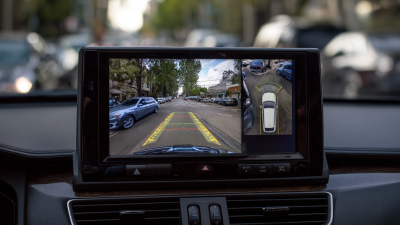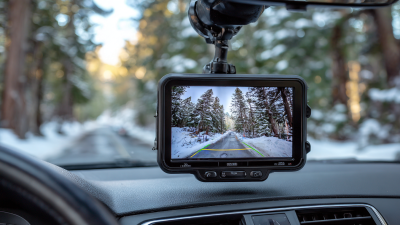
A Digital Backup Camera can make reversing feel less like guesswork. The screen shows the space directly behind your vehicle, including details that may disappear below the rear window. A child’s bicycle, a low planter, or a short curb can be difficult to spot from the driver’s seat. Clear video gives you another view while you maneuver.
Automotive camera systems specialist Daniel Mercer puts it this way: “A camera adds visibility, but careful driving still begins with the driver.” That distinction matters. A camera may help reveal obstacles, yet glare, rain, dirt, or a poorly positioned display can limit what you see. Keep checking mirrors and surroundings. Use the screen as support, not permission to reverse without looking.
Choosing a system also involves practical details. Check that the display is easy to read from your normal driving position. Consider whether the camera suits your vehicle and whether installation requires professional help. A sharp image is useful, but a confusing interface is not. Small differences matter.
There is no perfect setup. Drivers may need time to judge screen distance accurately, and some cameras show a wider view than expected. That takes practice. Before relying on any system, test it in a safe, open area and learn how its image corresponds to real space. A thoughtfully chosen Digital Backup Camera can improve rear visibility and make everyday parking more manageable, while leaving attention firmly in the driver’s hands.
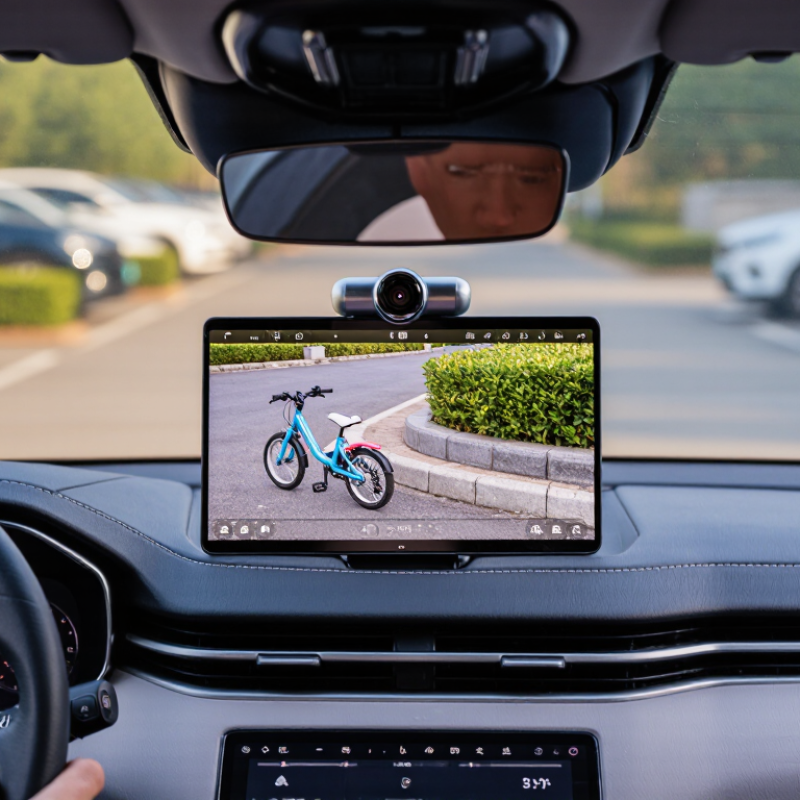
A digital backup camera turns the scene behind a vehicle into a live image on an in-cabin display. A small rear-facing lens gathers light, and an image sensor converts it into electronic signals. The system processes those signals and sends the picture to the screen, often when reverse gear is selected. In practice, the image may show a driveway edge, a low step, or a child’s bicycle that sits below the rear window’s sightline. The view can be especially useful in larger vehicles, though camera placement and screen quality affect what drivers can see.
The U.S. National Highway Traffic Safety Administration’s 2014 rear-visibility rule estimated that required camera systems could prevent 58 to 69 deaths each year. That estimate highlights the value of a clearer rear view, but it does not mean a camera removes every blind spot. Lens distortion, darkness, rain, and dirt can reduce image quality. A screen can also take a moment to interpret when objects are close. Keep checking mirrors and looking around; the camera is an aid, not a substitute for attention.
Tips: Clean the lens regularly, especially after muddy or wet drives. Check the display before moving, and watch for image delay or a blank screen. Small habit. Reliable view.
Why Choose a Digital Backup Camera for Your Vehicle?
Safety Benefits for Reversing and Parking
A digital backup camera gives drivers a clearer view behind the vehicle. This matters when reversing from a crowded parking space or narrow driveway. The screen can reveal low objects, bicycle wheels, and children hidden below mirror level. A wider viewing angle also helps when the rear corners disappear from the side mirrors. Visibility matters.
In daily driving, I find the camera most useful during slow, controlled movements. I can check the screen, pause, and look around before continuing. This habit reduces blind spots, but it does not remove them. Mirrors and direct observation remain essential. A camera lens can collect rain, dust, or road salt. Even a small smear may hide a dark object at night.
Parking becomes less stressful when distance guides appear on the display. They help estimate space near a wall, curb, or another vehicle. However, these guides may not match every vehicle’s exact dimensions. Drivers should learn the system in an empty area before relying on it. A careful installation also matters. The camera should stay firmly mounted, and the screen should remain easy to see without distracting the driver. I have noticed that rushing makes even good safety equipment less effective. Slow movements still win.
| Safety Dimension | How a Backup Camera Helps | Practical Benefit When Reversing or Parking | Important Limitation |
|---|---|---|---|
| Rearward visibility | Displays a view of the area behind the vehicle on a screen, supplementing the driver's view through mirrors and windows. | Can make it easier to notice objects or people in the camera's field of view while backing up. | The camera shows only part of the area around the vehicle; it does not replace checking mirrors and looking around. |
| Low obstacles | Offers a view from near the rear of the vehicle that may reveal low objects not readily visible from the driver's seat. | Helps the driver assess the space immediately behind the vehicle when reversing into a parking space or driveway. | Small, narrow, or partly hidden objects may still be difficult to see. |
| Parking alignment | Many systems display guide lines to help estimate the vehicle's path and distance from nearby objects. | Can support more controlled positioning in parking spaces and when approaching a wall or garage. | Guide lines are aids, not exact measurements; their accuracy depends on correct camera alignment and system design. |
| Rear blind areas | Provides an additional view into part of the area that may be difficult to see directly from the driver's seat. | Adds useful visual information during slow-speed reversing, especially when the rear view is obstructed. | Blind areas can remain outside the camera's field of view. Check the surroundings before and during the maneuver. |
| Night and poor visibility | Can provide a screen image in dim conditions, depending on the camera, display, and available lighting. | May help the driver see the rear area when natural light is limited. | Darkness, glare, rain, dirt, or a covered lens can reduce image clarity. Keep the lens clean and use other checks. |
| Driver awareness | Supplies another visual reference while the driver moves the vehicle at low speed. | Supports careful reversing when used together with mirrors, direct observation, and a slow approach. | Do not rely on the display alone; remain alert for pedestrians, cyclists, and changing surroundings. |
| Safe-use reminder: A backup camera is a visibility aid, not a substitute for attentive driving or checking the area around the vehicle. | |||
Why Choose a Digital Backup Camera for Your Vehicle?
Image quality matters when a child, curb, or low bollard appears behind your vehicle. A digital camera can provide a clear, wide view, but performance depends on lens quality, display resolution, and lighting. Check the image at dusk and in rain, not just in a bright showroom. A sharp picture helps; it does not remove blind spots. NHTSA’s 2014 rear-visibility rule estimated that rearview technology could prevent 58–69 deaths and 11,000 injuries each year. These are estimates, not a promise that any camera prevents a crash.
Signal reliability deserves equal attention. Digital systems transmit video between the camera and screen, often through a wired connection or wireless link. A stable picture should appear quickly, without freezing or distracting interference. Test it with the engine running and while reversing near common sources of signal noise. Salt, water, and vibration can also affect connectors and mounts over time. One detail is easy to overlook: a delayed image can feel usable until a moving obstacle enters the frame.
Tips: Clean the lens regularly, especially after slushy drives. Check for a steady image before backing out. If the screen flickers, inspect connections or seek a qualified technician. Use helpful features, such as parking guidelines and low-light adjustment, as aids—not substitutes for mirrors, shoulder checks, and careful movement.
Digital systems typically provide higher image detail, stronger resistance to signal degradation, better low-light performance, and more useful parking-assistance functions than standard analog systems. The chart shows representative normalized capability scores for comparison; actual performance varies by vehicle, installation, and system design.
A higher score indicates greater practical capability. Digital image quality is commonly associated with HD resolutions such as 720p or 1080p, while digital signal processing can help preserve image stability and detail over longer cable runs.
Before choosing a digital backup camera, check how it will connect to your vehicle. Some systems use a dedicated display, while others send video to a compatible dashboard screen. Confirm the screen accepts the camera’s video signal and that the vehicle provides a suitable power source. Check cable length, too. A long van may need more reach than a compact car.
Mounting can be less straightforward than product photos suggest. The camera may sit near the license plate, above the rear door, or inside the back window. Look for a clear view that avoids trim, handles, and the vehicle’s own bodywork. Measure the route from the camera to the display before buying. A few extra centimeters matter. I once assumed a hatchback’s interior trim would lift easily; it did not, and the cable route needed rethinking.
Installation requirements vary with vehicle design. A wired camera often needs a safe cable path through the cabin and a connection to a suitable reverse-gear power circuit. Avoid pinching wires beneath panels or routing them near moving parts. If the vehicle has airbags in its pillars, follow the service guidance for that model. Some installations are better handled by a qualified technician. After fitting, test the image in daylight and low light, then check that the camera angle shows the area directly behind the vehicle. The first view may feel slightly off. Adjust it before relying on it.
A digital backup camera offers a clearer rear view than many older optical systems. NHTSA’s Federal Motor Vehicle Safety Standard 111 requires a view covering a 10-by-20-foot area behind the vehicle. That space can include a child, bicycle, or low concrete post.
The agency estimated that rear visibility technology could prevent 58 to 69 deaths and 42,000 injuries annually. These figures show value, but they do not remove driver responsibility.
Maintenance is simple, yet often neglected. Wipe the lens with a soft cloth before driving in rain, dust, or road salt. Check the display for flickering, delayed images, or dark corners. Moisture inside the camera housing can damage connections over time. Technicians should inspect wiring after collisions or tailgate repairs. A clean image matters.
Limitations remain. Bright sunlight can wash out the screen, while mud, snow, and darkness reduce detail. Wide-angle images may also make objects appear farther away than they are. The Insurance Institute for Highway Safety has reported that rear cameras improve visibility, but combined systems can provide broader coverage. Do not trust one screen alone. Look around.
Long-term use requires honest judgment. A camera may continue working while its image quality slowly declines. I have noticed that drivers often depend on parking guidelines without checking their surroundings. That habit needs correction. Software updates, sealed connectors, and professional calibration can extend service life, but no digital system is perfect. A careful driver remains the strongest safety feature.